
Multiple Directories
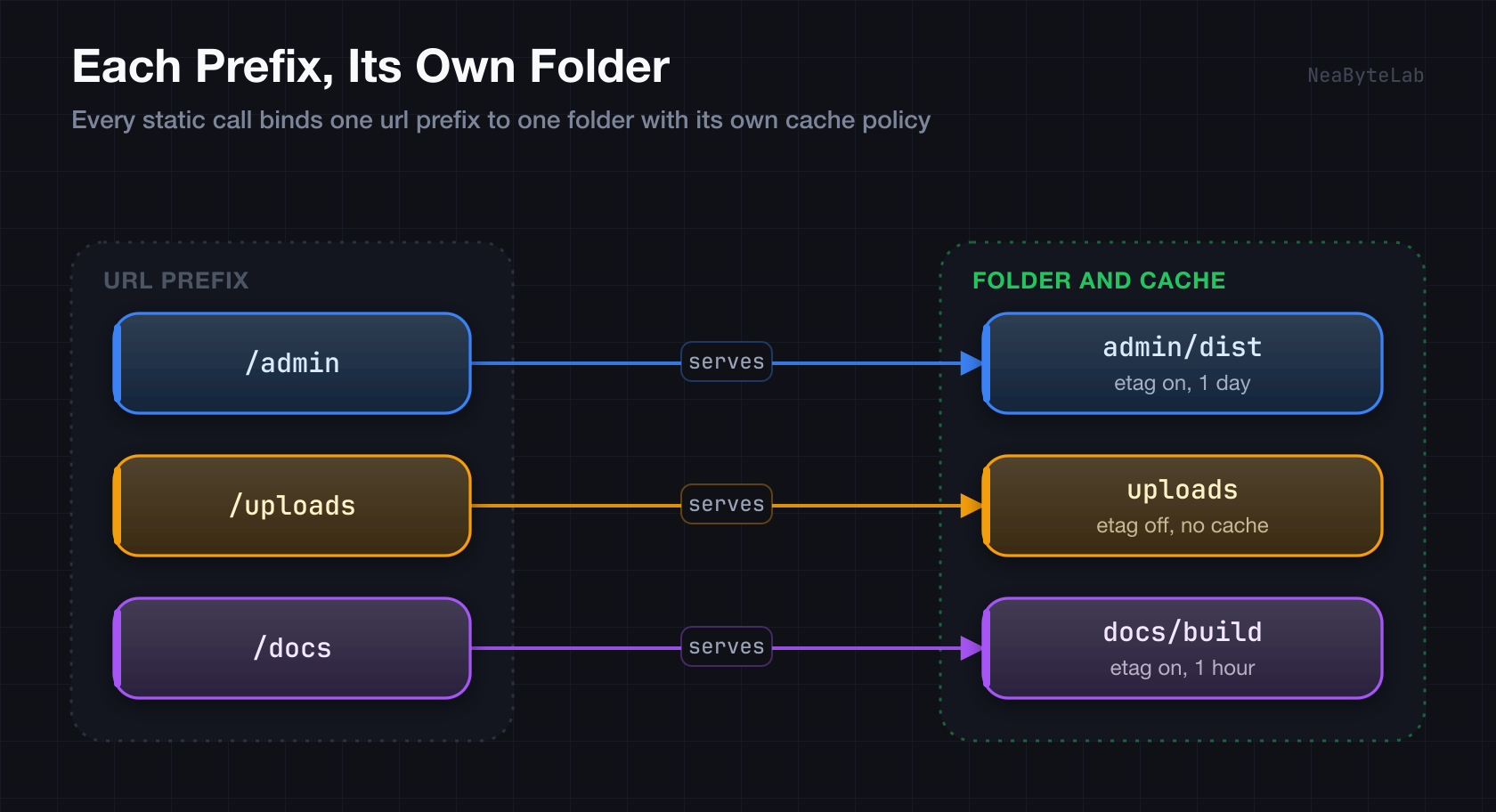
Several router.static() calls can run side by side, each binding one URL prefix to its own folder with its own cache policy. The options and resolution rules per mount are covered in Basic Static Serving, and this page focuses on how many mounts share one router.
Basic Usage
Mount each prefix with its own folder and cache:
import { Router } from '@neabyte/deserve'

const router = new Router()

// Each prefix gets its own folder and cache
router.static('/admin', {
  path: './admin/dist',
  etag: true,
  cacheControl: 86400
})
router.static('/uploads', {
  path: './uploads',
  etag: false,
  cacheControl: 0
})
router.static('/docs', {
  path: './docs/build',
  etag: true,
  cacheControl: 3600
})

await router.serve(8000)
How Mounts Are Picked
Every mount lands in one registry sorted longest prefix first. A request walks that list and the first prefix that covers the path wins, so the most specific mount always takes precedence over a broader one:
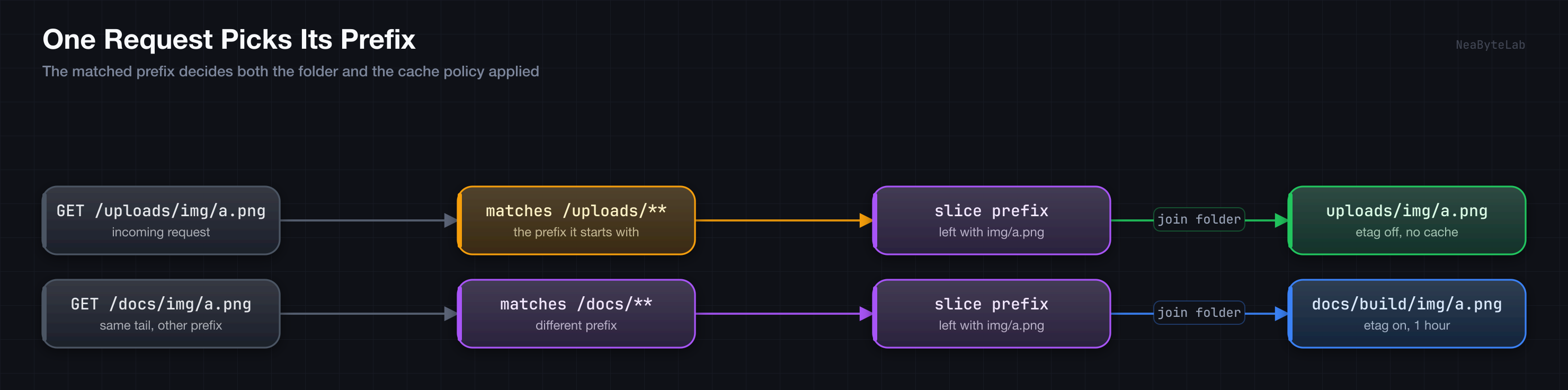
The matched prefix decides both the folder and the cache policy, so two mounts can share a tail path and still resolve to different files. A mount on / sits at the end as a catch-all that covers anything the earlier prefixes did not.
Common Patterns
Site With a Catch-All Root
A broad / mount and a focused /admin mount coexist because the longer prefix is matched first. A request to /admin/index.html resolves through the admin mount, while /style.css falls to the root mount:
// Admin panel, matched first
router.static('/admin', {
  path: './admin/dist',
  etag: true,
  cacheControl: 86400
})

// Catch-all root, matched last
router.static('/', {
  path: './public',
  etag: true,
  cacheControl: 86400
})
Long-Lived Assets and Fresh Uploads
A fingerprinted asset folder caches for a year, while a user upload folder turns caching off so a replaced file is always fetched fresh:
// Fingerprinted assets cache for a year
router.static('/assets', {
  path: './public/assets',
  etag: true,
  cacheControl: 31536000
})

// User uploads stay uncached
router.static('/uploads', {
  path: './uploads',
  etag: false,
  cacheControl: 0
})
Directory Structure
A layout that fits the mounts above:
.
├── main.ts
├── public/
│   ├── index.html
│   ├── css/
│   └── js/
├── admin/
│   └── dist/
│       ├── index.html
│       └── assets/
└── uploads/
    ├── images/
    └── documents/
Routes Take Priority
Static mounts run only after dynamic routes miss, so a route always wins on a shared path. A file route at /admin handles GET /admin before the /admin static mount ever sees it, which is the matching order detailed in Basic Static Serving. Keep an API and a static folder on distinct prefixes to avoid a surprise:
// API under /api, assets under /static
router.static('/static', {
  path: './public'
})
router.static('/admin', {
  path: './admin/dist'
})
Troubleshooting
- Wrong folder served - a broader prefix is matching first only when it is actually longer, so confirm the specific mount has the longer prefix.
- A route shadows a file - a dynamic route on the same path is served before the static mount, so move one to a distinct prefix.
- 404 across a mount - check the folder path and that the URL keeps the mount prefix, since each miss returns 404 through the centralized error handler.