Streaming Template Rendering
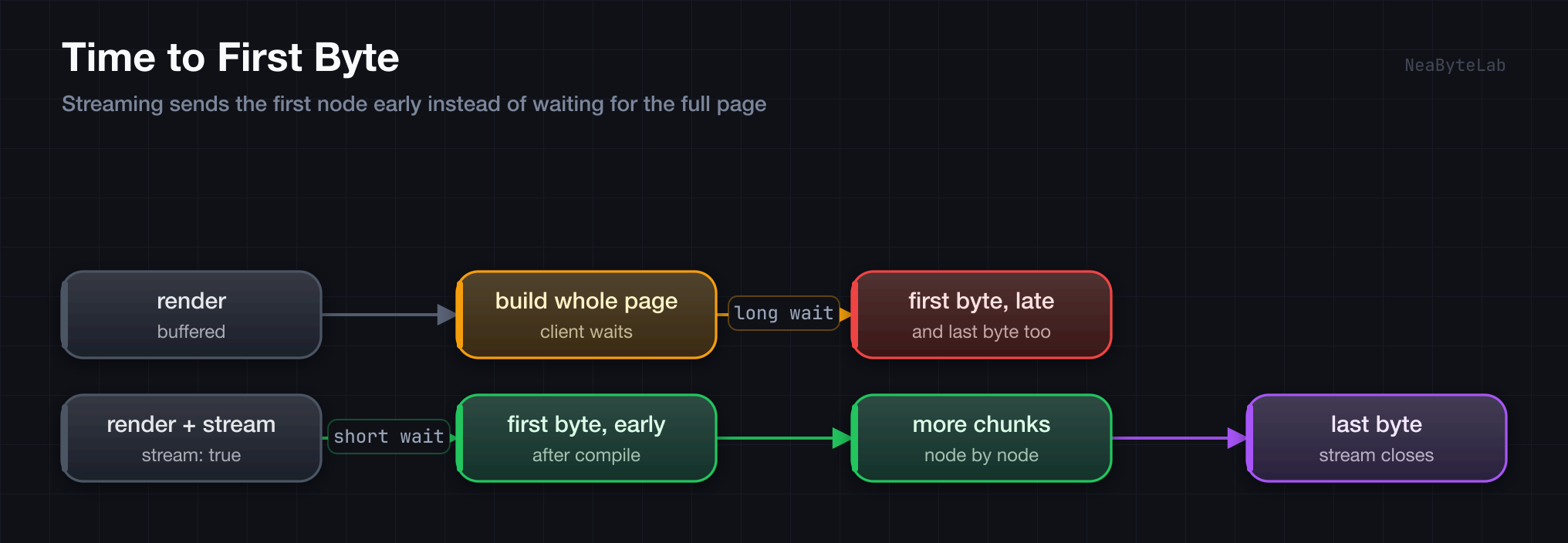
Streaming rendering sends HTML as it is produced, which lowers time-to-first-byte (TTFB) and keeps large pages feeling responsive. It is the progressive counterpart to the buffered render covered in Rendering Overview, and it runs through the same ctx.render() call.
Buffered vs Streaming
ctx.render() buffers by default, building the whole page into one string before it sends. Passing { stream: true } as the third argument switches to a ReadableStream that writes each node as it is produced:
// Buffered: wait for the whole page
await ctx.render('large-template', data)

// Streaming: send chunk by chunk
await ctx.render('large-template', data, { stream: true })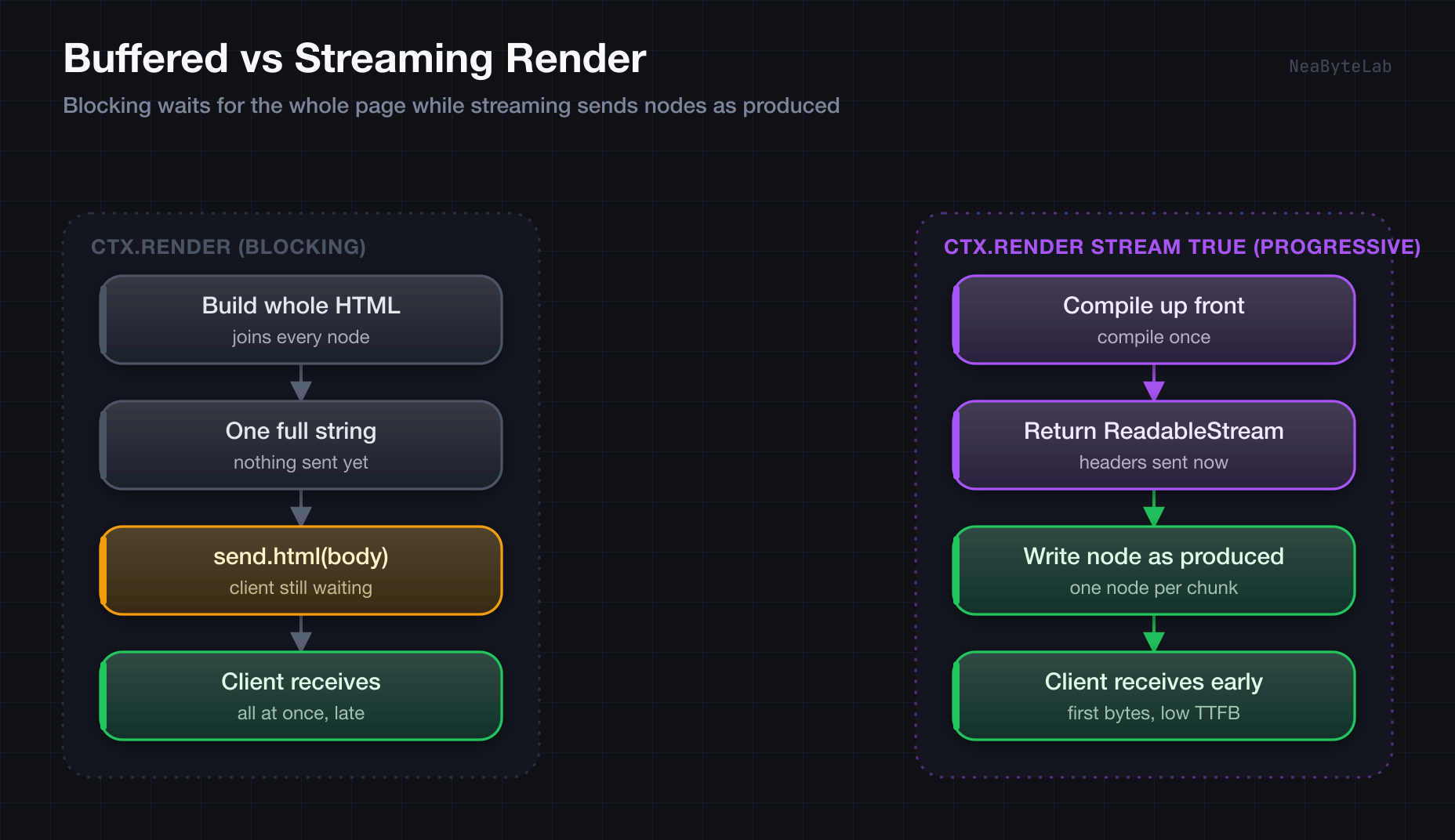
Usage
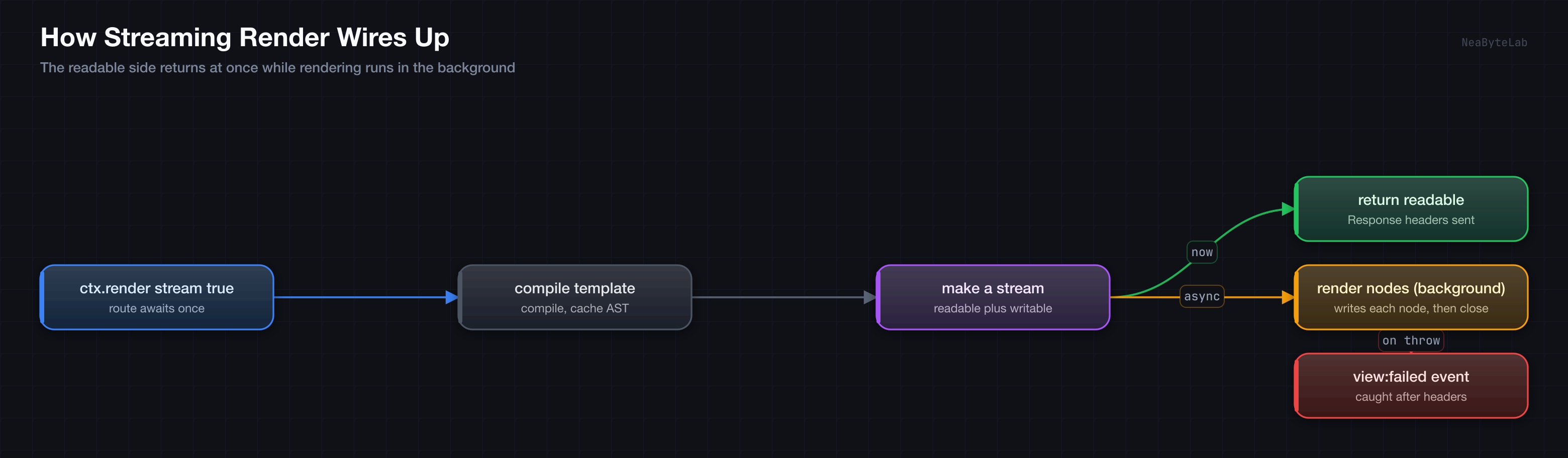
A streaming render is still a single await. The engine resolves and compiles the template up front, then returns a response whose body streams as it renders, so the route stays as small as a buffered one:
// routes/dashboard.ts

// Stream a complex dashboard
export async function GET(ctx: Context): Promise<Response> {
  return await ctx.render('dashboard', {
    user: getUser(),
    analytics: getAnalytics()
  }, { stream: true })
}
The response carries Content-Type: text/html; charset=utf-8, the same as a buffered render, and the status defaults to 200. Set a different status through the same options object alongside stream:
// Stream with a custom status
await ctx.render('report', data, { status: 201, stream: true })
Template Support
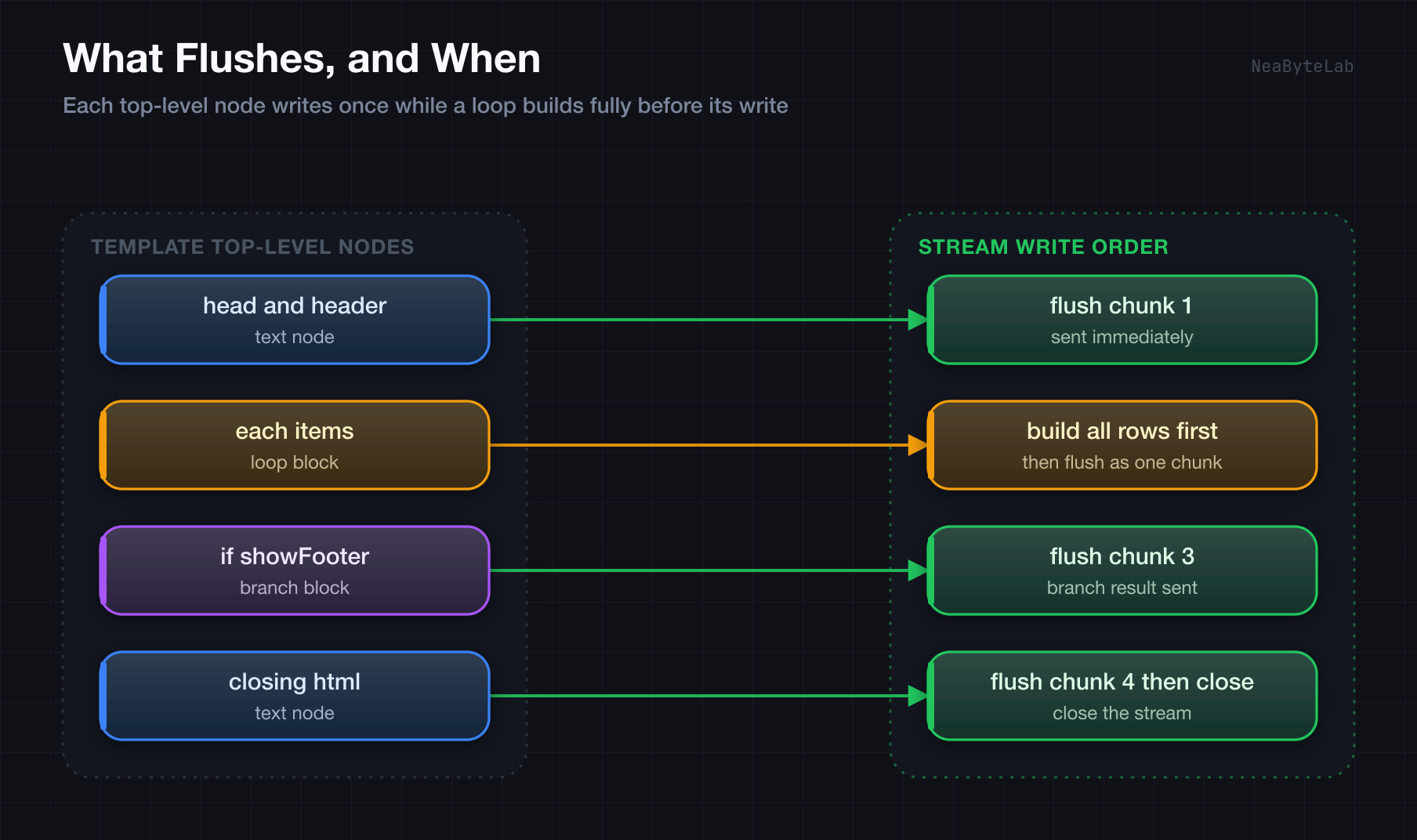
Every DVE feature from Template Syntax works with streaming. The engine walks the top-level nodes and flushes each produced chunk in order, so a plain text node leaves on its own. An {{#each}} block builds all its rows first and flushes them as one chunk, which means the granularity is per top-level node rather than per loop item:
<!-- views/streaming-demo.dve -->
<!DOCTYPE html>
<html>
  <head>
    <title>{{ title }}</title>
  </head>
  <body>
    <header>{{ header }}</header>

    <!-- Each block flushes as one chunk -->
    {{#each items as item}}
    <div class="item">
      <h3>{{ item.name }}</h3>
      <p>{{ item.description }}</p>
    </div>
    {{/each}}

    <!-- Conditional rendering -->
    {{#if showFooter}}
    <footer>{{ footer }}</footer>
    {{/if}}
  </body>
</html>
Best Use Cases
Streaming pays off when the page is large or the data trickles in. A report with thousands of rows ships its first bytes long before the last row is ready:
// Report with thousands of rows
export async function GET(ctx: Context): Promise<Response> {
  return await ctx.render('financial-report', {
    transactions: await getTransactions(),
    summary: calculateSummary()
  }, { stream: true })
}
A dashboard that mixes fast and slow data benefits the same way, since the shell reaches the client while the slow parts resolve:
// Fast shell first, slow data after
export async function GET(ctx: Context): Promise<Response> {
  return await ctx.render('progressive-app', {
    layout: getLayoutData(),
    content: await getContent(),
    analytics: await getAnalytics()
  }, { stream: true })
}
Error Handling
Streaming has two failure windows. A missing template or a compile error throws before the response starts, so it reaches the centralized error handler like a buffered render and shapes a normal status reply. A fault while producing chunks happens after the headers are already sent, so the response cannot change. That fault surfaces as a view:failed event on the observability bus and the stream closes. That window is why heavy validation belongs before the stream rather than inside it.
Migration from a Buffered Render
The switch is one argument, since the call stays the same:
// Before: buffered
export async function before(ctx: Context): Promise<Response> {
  return await ctx.render('large-template', data)
}

// After: streaming
export async function after(ctx: Context): Promise<Response> {
  return await ctx.render('large-template', data, { stream: true })
}
Streaming lifts performance for large templates and real-time pages while the route stays a single await: