
Hot Reload
Deserve automatically watches the routes directory and views directory for file changes, and when a file is created, modified, or deleted the server picks up the change on the next request with no restart required.
Zero Configuration
Hot reload starts automatically when the server starts, unless hotReload: false is passed to the router:
import { Router } from '@neabyte/deserve'

const app = new Router({
  routes: { directory: './routes' },
  views: { directory: './views' }
})

// Watchers start automatically
app.serve(3000)
To disable hot reload entirely, set hotReload: false. This suits production deployments where file watching is unnecessary:
const app = new Router({
  hotReload: false
})
What Gets Watched
Route Files
All files with supported extensions (.ts, .js, .tsx, .jsx, .mjs, .cjs) inside the routes directory are watched recursively.
| Event | Behavior |
|---|---|
| File created | Module is imported and route handlers are registered automatically |
| File modified | New module is imported and validated first, then the old handlers are swapped out, so a broken edit leaves the last good version still serving |
| File deleted | Route pattern is removed from the router, requests return 404 |
Template Files
All .dve files inside the views directory are watched recursively, so template edits show on the next render without a restart.
| Event | Behavior |
|---|---|
| File created | Discovered paths are refreshed so the template is available for rendering |
| File modified | File cache and compiled AST cache are cleared, next render reads fresh content |
| File deleted | Discovered paths are refreshed, rendering the template will throw an error |
Error Isolation
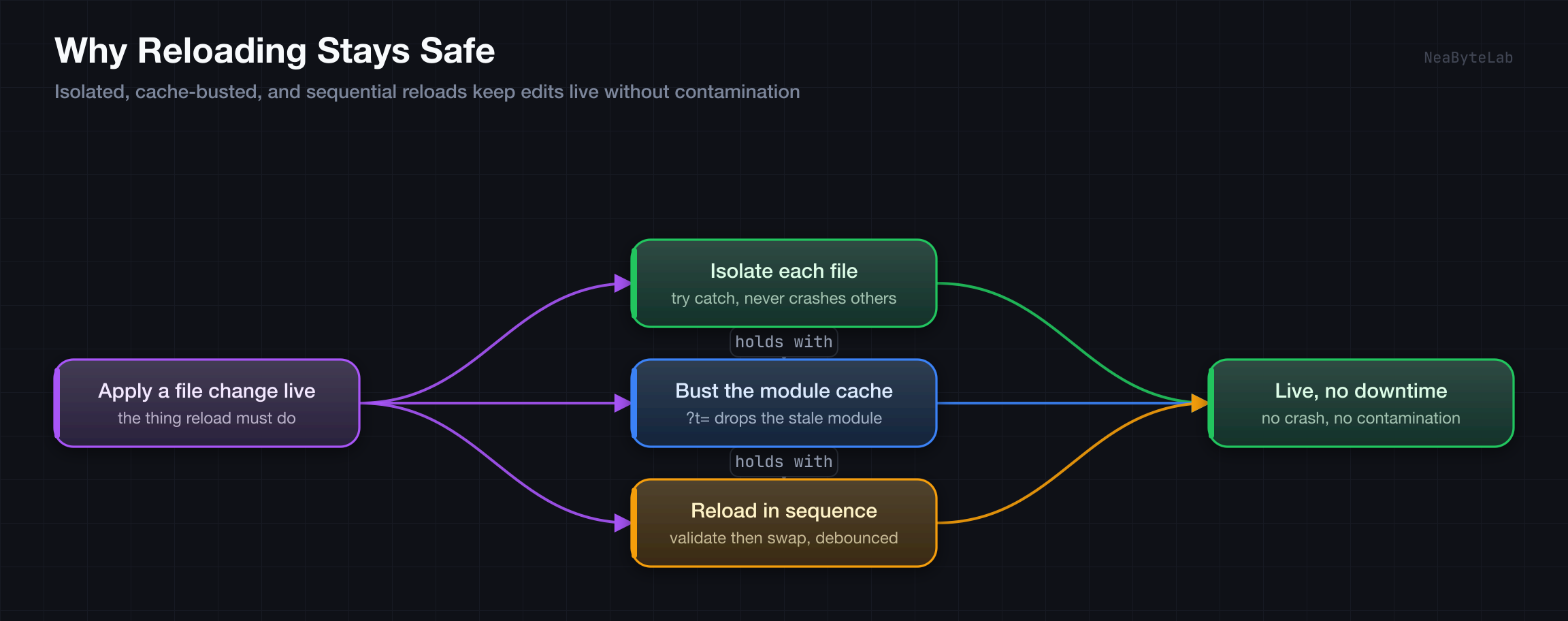
A bad file is caught and never crashes the server or the other routes. Because the new module is imported and validated before the old one is dropped, a failed reload leaves the previous working version in place rather than killing the route. Each failure surfaces as a route:failed observability event, so logging stays in one place and nothing prints to the console on its own.
Malformed Syntax
Invalid syntax fails the import, so the swap never happens and the last good route keeps serving. The failure arrives as a route:failed event carrying the route path and the parse error.
Missing HTTP Method Exports
A file with no valid HTTP method export (GET, POST, etc.) fails validation before the swap, so the route is left untouched and the reason rides the same route:failed event.
Runtime Errors in Handlers
When a reloaded handler throws at request time, the centralized error handling returns a proper 500 response. The server stays alive and the other routes are unaffected.
Debouncing
File system events are debounced to prevent redundant reloads during rapid saves:
- Template watcher: 100ms debounce, clears only the changed file's cache entries
- Route watcher: 150ms debounce, batches multiple file changes into a single sequential reload
Multiple file changes within the debounce window are batched into a single operation, avoiding redundant reloads when saving several files at once.
How It Works
Route Reloading
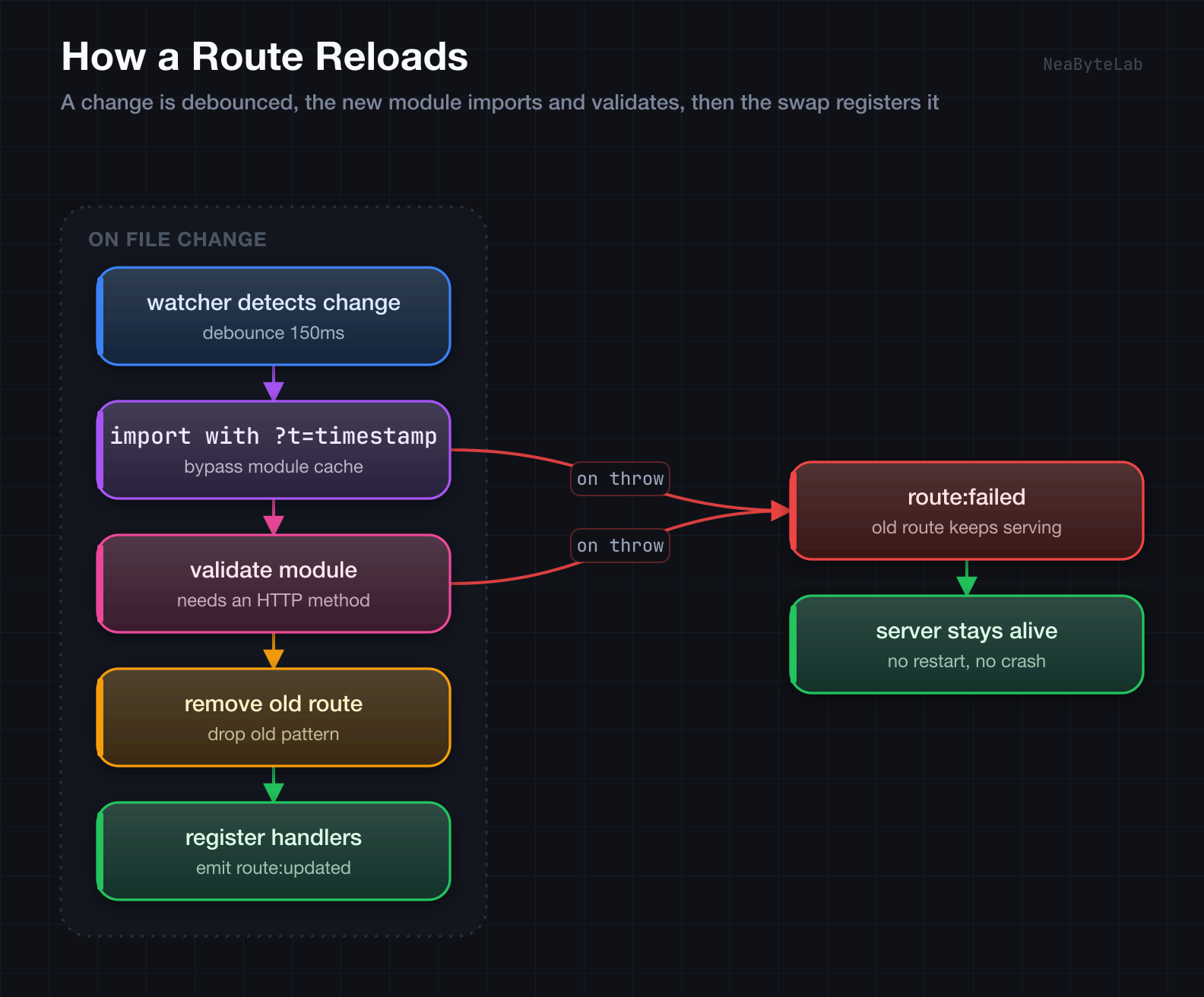
- The watcher detects a change in the routes directory and waits out the debounce window
- The file path resolves to a route pattern
- The module is re-imported with a cache-busting query string (
?t=timestamp) to bypass the module cache - The module is validated for at least one HTTP method export
- Only after the import and validation pass, the old pattern is dropped and the new handlers register, then a
route:updatedevent fires - If any step before the swap fails, the old route is left serving and a
route:failedevent fires instead
Template Reloading
- The watcher detects a change in the views directory and waits out the debounce window
- The changed file's compiled AST entry is cleared from the cache
- The discovered template paths set is reset
- On the next
ctx.render()call, the engine re-reads the file from disk, re-parses it, and caches the result